
Go to your "projects" tab and click on the filter bar. 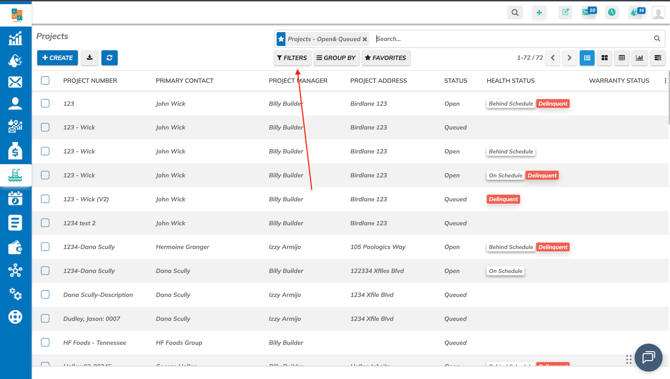
Next, click on "Add custom filter".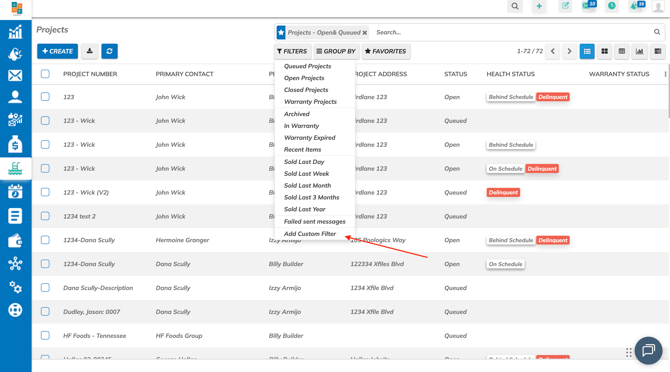
Next, where it says "Project Warranty Status", search for "Tag"
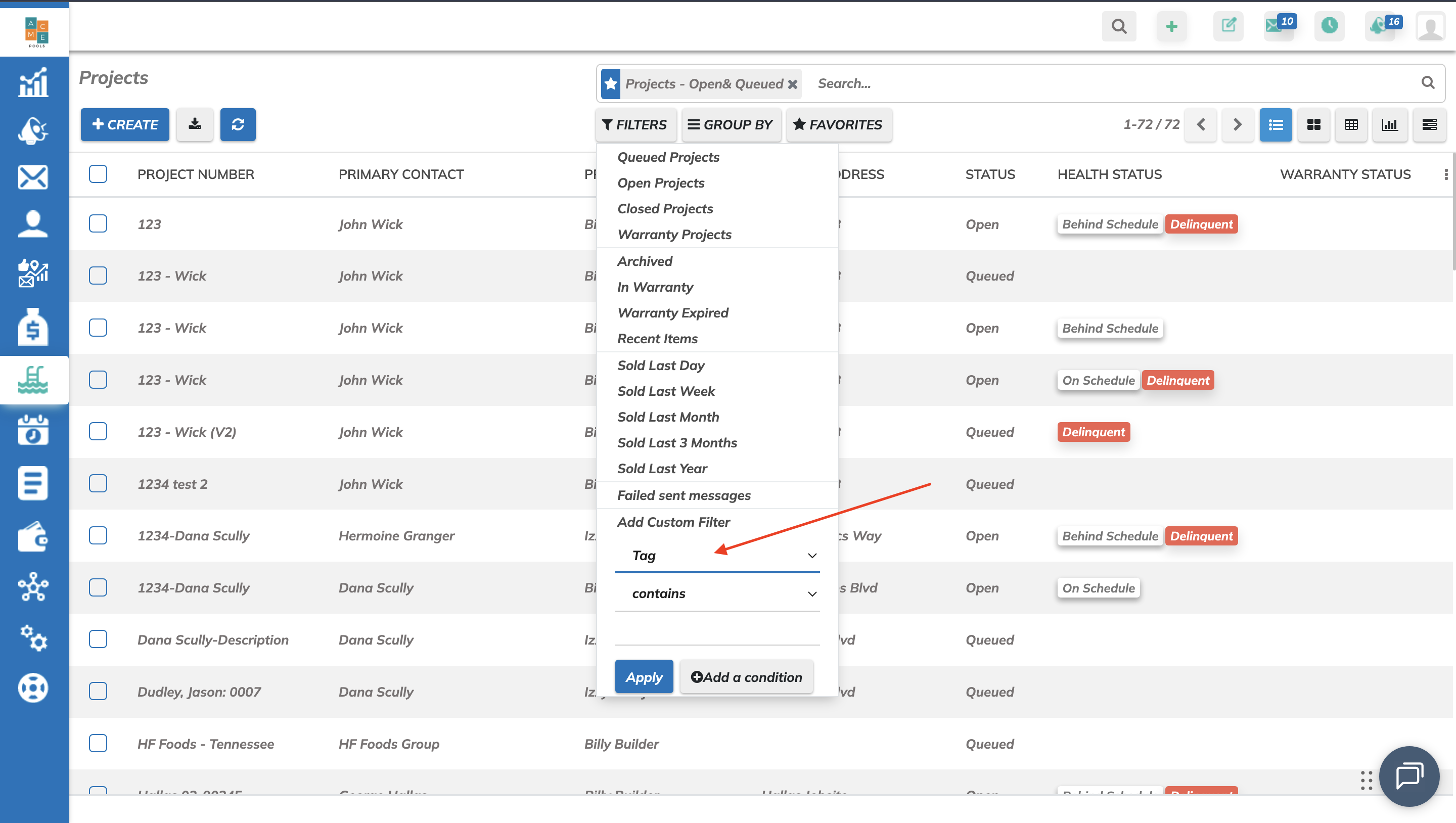
Change "Contains" to "Is equal to", and add your tag label exactly how it is.
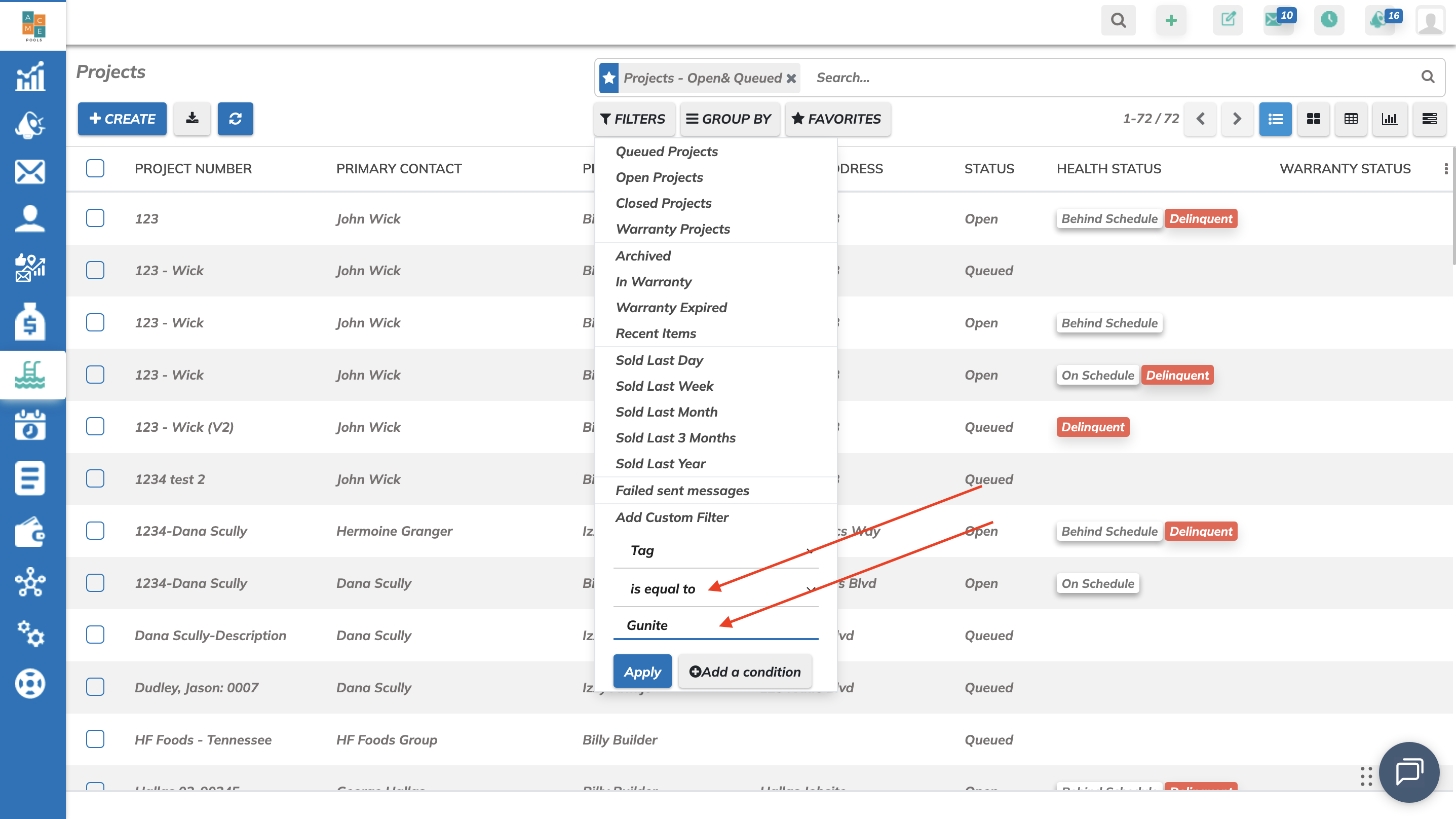
Click on "Apply" and all your projects under that specific tag will show up.